
Grading Scale Calculator –
Convert Scores to Grades
No math, just your grade. Instantly convert any score to a letter grade.
Enter your score and total possible points to instantly see your letter grade, GPA points, and percentile.
| Letter | Range | GPA (4.0) | GPA (5.0) | Description |
|---|
Define your own letter grade cutoffs. Changes are saved automatically in your browser.
| Letter Grade | Min Score (%) | GPA |
|---|
Live Preview — Custom Scale
Add multiple scores at once and get all letter grades, GPA points, and a class summary.
Individual Results
| Name / Label | Score | Percent | Letter | GPA |
|---|
Understand how letter grades map to GPA points on both 4.0 and 5.0 scales.
| Letter | Min % | 4.0 GPA | 5.0 GPA | Quality |
|---|
Have you ever checked your score and wondered if it’s actually good enough? Understanding grades can be tricky, especially when every school uses a different system. A Grading Scale Calculator solves this problem by instantly converting your numbers into clear letter grades like A, B, C, D, or F.
Whether you’re a student tracking your progress or a teacher looking to save time, a grade converter makes grading simple and accurate. In this guide, we’ll explain how grading scale calculators work, show you grading charts used around the world, and even teach you how to calculate grades step by step — plus how to export results as CSV for easy sharing.
What is a Grading Scale Calculator?
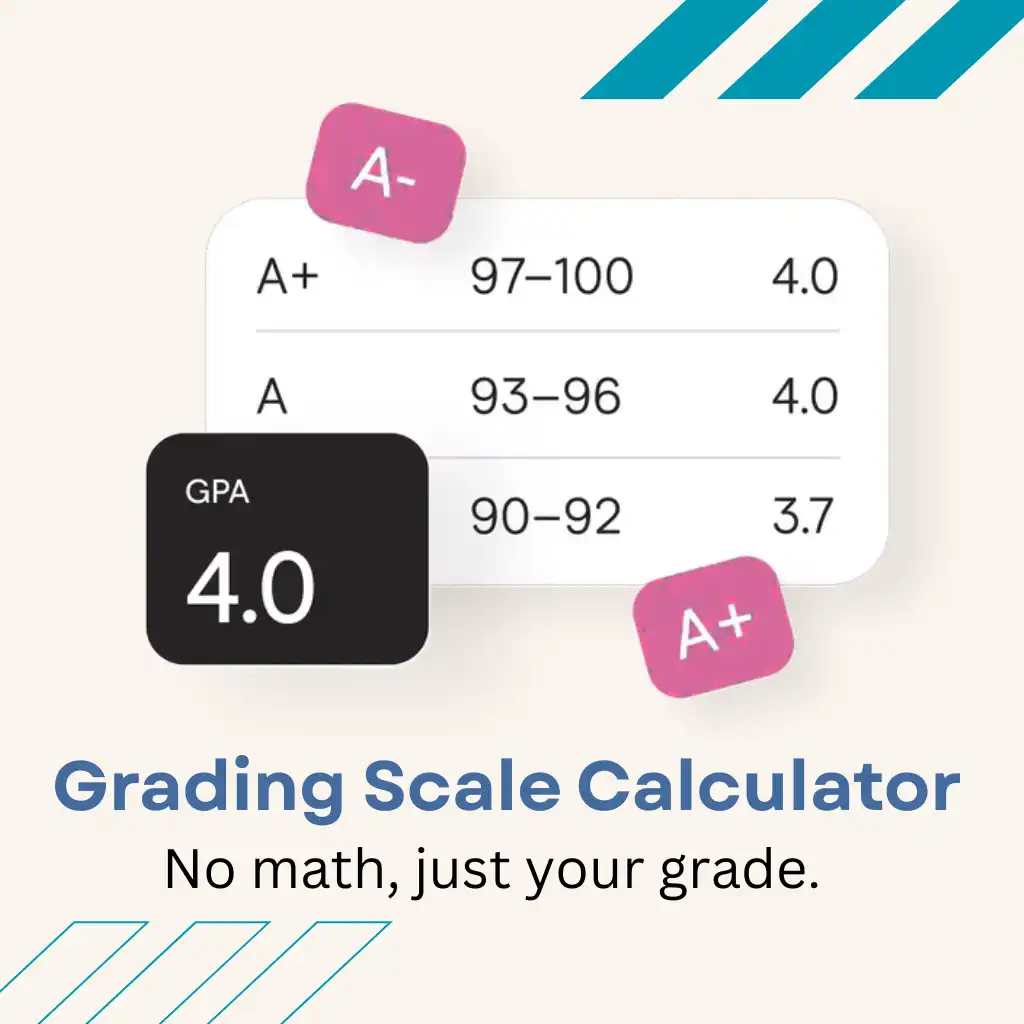
A grading scale calculator (sometimes called a final grade calculator or exam grade calculator) takes your scores and applies the grading rules (the “scale”). The scale can be based on percentages, letter grades, GPA points, or even custom levels like “Proficient” or “Developing.”
- Adds points or averages percentages.
- Uses weights if some work counts more than other work.
- Converts the final number to a letter grade or GPA.
- Rounds the result using your school’s rules.
👉 You can also calculate grades in Google Sheets using formulas and make grades in Excel by setting up a simple grade calculator for automatic results. Student converts the final number to an average letter grade or GPA by using the tool.
Grading Scales Around the World
Since grading rules differ across countries, a custom grading scale calculator lets you adjust cutoffs to match U.S., Canada, U.K., or European systems.
| Country / Region | Grade / Scale | Percentage / GPA | Meaning |
|---|---|---|---|
| United States (GPA) | A | 90–100% / 4.0 | Excellent |
| B | 80–89% / 3.0 | Good | |
| C | 70–79% / 2.0 | Average | |
| D | 60–69% / 1.0 | Below Average | |
| F | Below 60% / 0.0 | Fail | |
| Canada | A | 80% and above | Excellent |
| B | 70–79% | Good | |
| C | 60–69% | Average | |
| D | 50–59% | Pass | |
| F | Below 50% | Fail | |
| United Kingdom (UK) | First Class | 70% and above | Excellent |
| Upper Second (2:1) | 60–69% | Good | |
| Lower Second (2:2) | 50–59% | Average | |
| Third Class | 40–49% | Pass | |
| Fail | Below 40% | Fail | |
| Europe (EU) | 1.0 | — | Excellent / Top Performance |
| 2.0 | — | Good | |
| 3.0 | — | Okay / Average | |
| 4.0 | — | Pass / Minimum Standard | |
| 5.0 | — | Fail |
Step-by-Step Example
Let’s say your course grading is:
- Homework (20%) = 82%
- Midterm (30%) = 75%
- Final Exam (50%) = 88%
👉 Calculation:
- (82 × 0.20) + (75 × 0.30) + (88 × 0.50)
- = 16.4 + 22.5 + 44
- = 82.9% → Letter Grade: B → GPA: 3.0
This shows how a final grade calculator avoids confusion and gives instant results.
How Grading Scale Calculator works
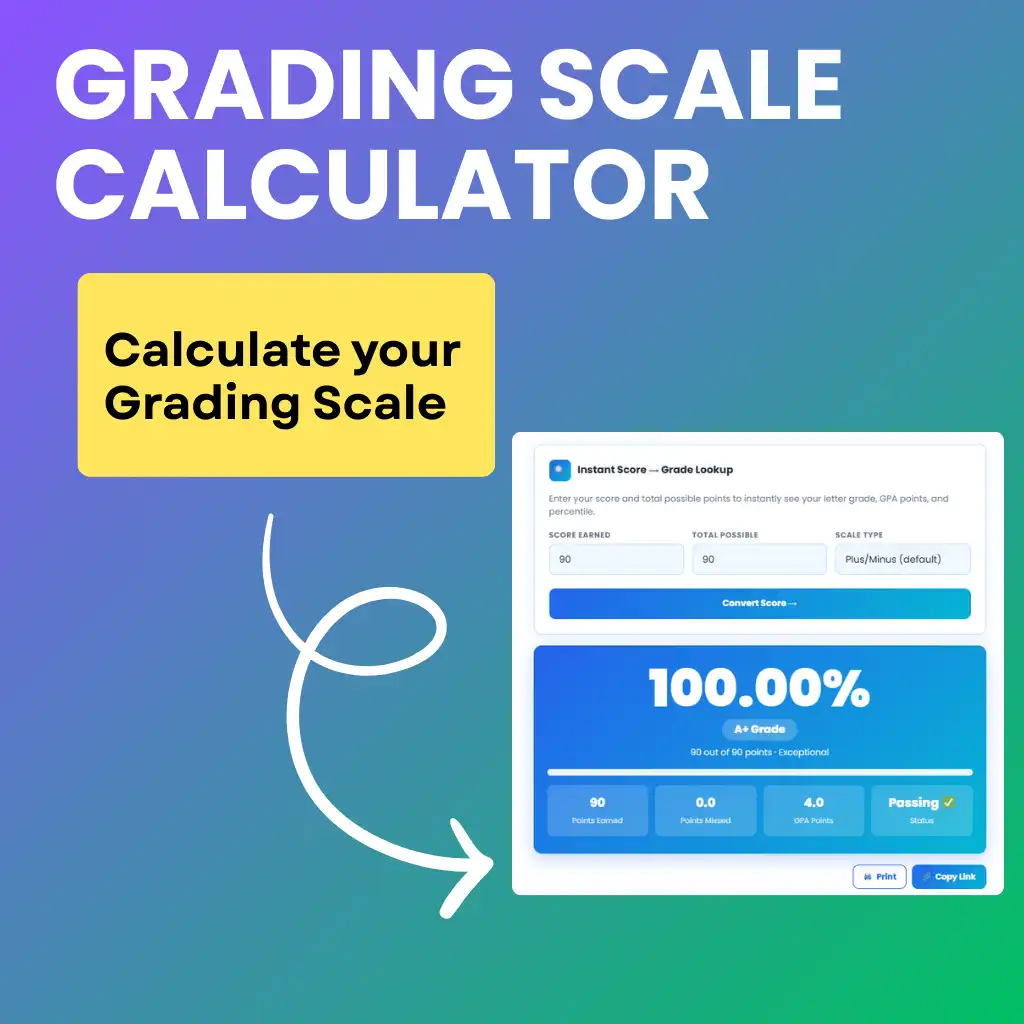
A Grading Scale Calculator is an essential academic tool that simplifies the process of converting raw points into meaningful grades. Instead of performing tedious manual calculations, this tool uses automated algorithms to translate scores into percentages, letter grades, and GPA values instantly.
Whether you are a student tracking your progress or a teacher managing a classroom, understanding how these calculations work can help you maintain academic accuracy.
Instant Score Lookup & Performance Analysis
The Score Lookup feature is designed for quick evaluations. It functions by taking two primary inputs: the points earned and the total possible points.
After clicking convert, the calculator calculates the percentage automatically. It then compares the result with the selected grading scale. It then displays the letter grade, GPA points, points earned, points missed, and pass or fail status. This helps students instantly understand their academic performance without doing manual calculations.
Understanding the Grade Scale Chart
The Grade Scale section shows a visual chart that explains how percentages turn into letter grades and GPA values. It includes common grading systems like the Plus/Minus scale, 10-point scale, and 7-point scale.
Each grade card shows the percentage range and GPA value. The full table also explains the meaning of each grade, such as Excellent, Good, Average, or Failing. This makes it easy to see what score is needed for a specific grade.
| Letter Grade | Percentage Range |
| A | 95% and above |
| A– | 89–94% |
| B+ | 88% |
| B | 83–87% |
| C+ | 77% |
| C | 73% |
| C– | 70% |
| D+ | 67% |
| D | 63% |
| D– | 60% |
| F | Below 60% |
Custom Scale: Flexibility for Diverse Education Systems
Different schools often use different grading rules. The Custom Scale feature lets users create their own grading system.
Users can change percentage cutoffs, add grades, and save their custom scale. Once saved, the calculator uses this scale to convert scores. This makes the tool useful for different schools and grading systems.
Bulk Converter for Teachers and Power Users
The Bulk Converter helps calculate grades for multiple scores at once. Users can add several items such as quizzes, assignments, midterms, or final exams.
Each row includes the name, score earned, and maximum points. After clicking Convert All, the calculator processes every score and shows the results instantly. This feature saves time and helps teachers or students review many grades quickly.
GPA Reference & Weighted Conversion
The GPA Reference tool acts as a bridge between letter grades and grade point averages. It allows students to see how their current percentage aligns with a 4.0 or 5.0 GPA scale.
By understanding these correlations, students can better estimate their cumulative GPA and set realistic academic goals for the semester.
Custom Settings
- You can edit these numbers if your school uses a different system.
- Example: If your school gives an A at 90%, you can change the cutoff to 90.
Export and Reset
- “Reset Defaults” brings the original scale back.
- “Export CSV” lets you download the scale to save or share.
Key Features of a Grading Scale Calculator

- Converts percentages into letter grades (A–F)
- Supports weighted averages for fair results.
- Works as a GPA converter on a 4.0 scale.
- Customizable for different schools & countries.
- Exports results as CSV for easy sharing.
- Reduces mistakes and saves grading time.
The grade calculator instantly converts your raw scores into clear letter grades so you can understand your performance at a glance.
Why It’s Useful for Every Student

Saves Time During Grading
Do want to save your time during grading? Instead of manually adding dozens of scores, the calculator shows results in seconds.
Reduces Mistakes
When grades are calculated by hand, there is always a chance of human error. Even a small mistake in calculation can affect a student’s final result. A grading scale calculator uses accurate formulas and ensures that every grade is correct. This makes the process more reliable and builds trust between students and teachers.
Students often miscalculate weighted averages, like mixing homework (20%) with tests (50%). The calculator ensures accuracy.
Accurate Result
If you calculate grades by hand, it often causes confusion and stress. A grading scale calculator solves this by showing results instantly. No worries, a grade scale calculator help every students. It allow them to see their score clearly without any stress.
Helps in Planning
You can test ‘what if’ scenarios, like what happens if you score 80% on your final. Use the final grade calculator to combine weighted assignments and exams and accurately predict your end-of-term grade.
👉 Teachers and students both use it to make grading faster and more accurate.
Builds Clarity:
It helps them understand where they stand in the class and what subjects need more focus. By seeing results in simple grades, students can set realistic study goals and track improvement easily.
FAQs
Final Thoughts
A grading scale calculator is a simple but powerful tool for students. Manual grade calculation often causes mistakes and stress. A final marks calculator makes the process accurate. By handling scales, weights, and extra credit, it gives results that are accurate and fair. Students can easily track their progress throughout the term. By combining percentages, letter grades, weighted averages, and GPA conversion, this tool provides complete clarity.
It also shows progress clearly so students know their strengths and where they need to improve. A grading scale calculator benefits both teachers and students equally. With this clarity, both students and teachers can work together toward better results.